
How do I quickly restore a hacked WordPress site?
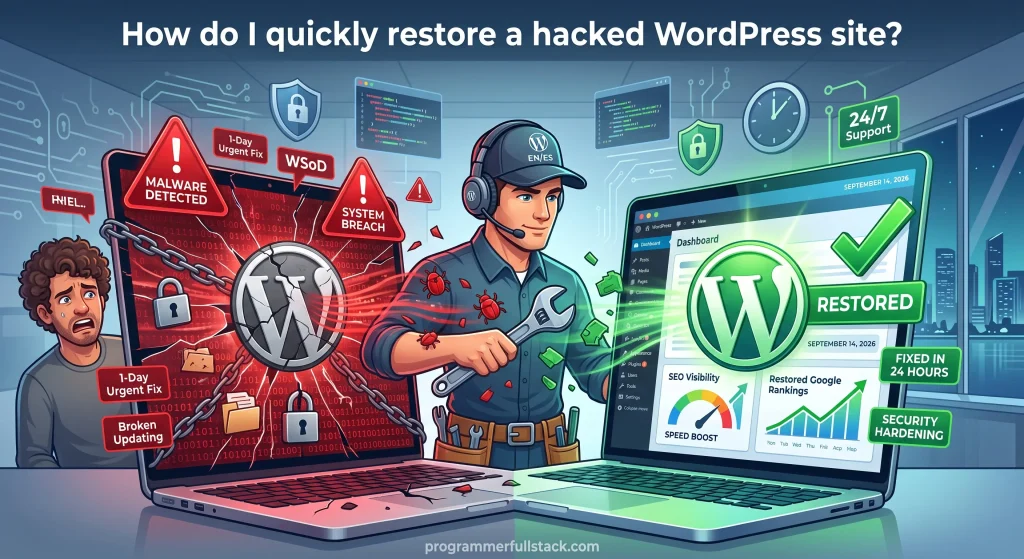
Restore a Hacked WordPress Site- A Step-by-Step Recovery Guide
A hacked WordPress site is a race against the clock. Every hour it stays compromised is an hour your visitors, your search rankings, and your reputation are at risk. This guide walks through exactly how hacked WordPress recovery works — what to check first, what order to work in, and where site owners most often go wrong when trying to clean things up on their own.
How to Tell Your WordPress Site Has Actually Been Hacked
Not every glitch is a security breach, but certain signs are strong indicators that your WordPress website hacked and needs immediate attention.
Warning Signs of a WordPress Security Breach
- Your site redirects visitors to unfamiliar or spammy domains
- Google Search Console shows a “Security Issues” warning, or your browser flags the site as deceptive
- Pages you didn’t create appear in search results, often for pharmaceutical or gambling terms
- New admin accounts show up in your user list that you didn’t add
- Your hosting provider suspends your account or emails you about malicious activity
- The site is noticeably slower, or your server resources are unexpectedly maxed out
According to Sucuri’s threat research, WordPress accounted for the overwhelming majority of infected websites its remediation team worked on in recent years — a figure that tracks closely with WordPress’s dominant share of the content management system market rather than any inherent weakness in WordPress itself. In other words, WordPress isn’t hacked more because it’s less secure — it’s targeted more because it’s everywhere.
The Fastest Path to WordPress Hack Recovery
If you’re dealing with a live security breach right now, follow this order. Skipping steps, or doing them out of sequence, is the most common reason a compromised WordPress site gets reinfected within days of being “fixed.”
Step 1: Isolate the Site
Put the site into maintenance mode or take it offline temporarily. This limits further damage to visitors and stops search engines from indexing more spam content while you work.
Step 2: Run a Full WordPress Security Scan
Use a reputable security scanner to get a complete picture of the infection — not just the first thing you notice. Malware Research reporting from Sucuri’s 2022 threat analysis found that nearly seven in ten compromised websites had at least one backdoor still present at the point of cleanup. A single obvious symptom, like a redirect, is often just the visible part of a larger problem.
Step 3: Identify and Remove Malicious Files
This means comparing your WordPress core files against a clean, official copy and removing anything that doesn’t belong — injected code in theme files, unfamiliar PHP files in your uploads folder, or modified .htaccess rules redirecting traffic.
Step 4: Clean the WordPress Database
Malware doesn’t only live in files. Attackers frequently inject spam content, malicious scripts, or rogue admin accounts directly into the database. Sucuri’s own data shows malicious admin users have been found in over half of compromised WordPress databases in recent reporting years — which is exactly why checking your user list is not optional.
Step 5: Reset Every Credential and Security Key
Change your WordPress admin passwords, database password, hosting account password, FTP/SFTP credentials, and your WordPress secret keys (found in wp-config.php). If an attacker had access once, assume every credential on the site is compromised until proven otherwise.
Step 6: Update Everything
Update WordPress core, your theme, and every plugin to their latest versions. Outdated software is one of the most consistent factors behind WordPress compromises year after year, and leaving even one plugin out of date can reopen the door you just closed.
Step 7: Request a Blacklist and Security Review
If Google, your browser, or your host flagged the site, you’ll need to formally request a review once the site is clean — through Google Search Console’s Security Issues report, for example. This step is frequently forgotten, and it’s the reason some sites stay flagged as unsafe long after the actual malware is gone.
Is Restoring From a Backup Enough?
Restoring from a clean backup can feel like the fastest fix, and sometimes it’s part of the right answer. But restore WordPress from backup should never be the only step. If the vulnerability that let the attacker in — an outdated plugin, a weak password, an exposed file — isn’t identified and closed, restoring an old backup just resets the clock until the same exploit is used again.
A responsible recovery process always pairs backup restoration with a security audit. One without the other leaves you exposed.
DIY Cleanup vs. Hiring a WordPress Security Expert
There’s a reasonable case for handling a minor infection yourself if you’re comfortable with server file access, database management, and reading PHP code. Plenty of site owners with technical backgrounds do it successfully.
That said, a few things make professional help worth considering for most people:
- Time pressure. Every hour of downtime is lost traffic and, for e-commerce sites, lost revenue.
- Hidden backdoors. As the backdoor statistics above show, the infection is often bigger than what’s immediately visible, and a missed backdoor means the site gets hacked again.
- SEO damage control. A professional cleanup typically includes the blacklist review and search console remediation steps that are easy to overlook but critical for recovering lost rankings.
If you’d rather not risk making a mistake under pressure, working with a dedicated WordPress recovery service is often the more efficient — and ultimately cheaper — path, especially for business-critical sites.
How Long Does Hacked WordPress Recovery Actually Take?
For a straightforward infection with a known cause, an experienced technician can often complete file cleanup, database cleanup, and credential resets within a matter of hours. More complex infections — multiple backdoors, deeply embedded database spam, or a compromised hosting account — can take longer, particularly if a blacklist review process is involved, since that step depends on the reviewing authority’s own timeline rather than your recovery team’s.
Programmer Full Stack, led by Pedro Luis Prince Monroy, offers 24/7 emergency WordPress malware removal and security hardening built specifically around this kind of time pressure — full database sweeps, backdoor removal, core file restoration, and firewall configuration designed to close the door that let the attacker in, not just remove the visible symptoms.
Preventing the Next Attack
Once your site is clean, a handful of habits go a long way toward keeping it that way:
- Keep everything updated. Core, themes, and plugins — on a regular schedule, not “whenever there’s time.”
- Use strong, unique credentials for every account with access to the site, and enable two-factor authentication where possible.
- Install a reputable security plugin with a web application firewall layer.
- Limit the number of admin accounts, and review your user list periodically for anything unfamiliar.
- Keep automated, off-server backups, so a clean restore point always exists if something does go wrong.
- Remove unused plugins and themes. Even inactive ones can be exploited if they remain on the server with known vulnerabilities.
Frequently Asked Questions
How much does it cost to fix a hacked WordPress site? Pricing varies by the scope of the infection, but most professional WordPress malware removal services fall in the range of a few hundred dollars for a standard cleanup, with more complex cases costing more depending on the number of backdoors, the size of the database, and whether SEO recovery is included.
How long does it take to remove malware from a WordPress site? Straightforward infections are often resolved within hours by an experienced technician. More extensive compromises — particularly those involving multiple backdoors or a fully corrupted database — can take a day or more, especially when a blacklist review is required afterward.
Is it enough to just restore from an old backup? No. Restoring a backup without identifying and closing the original vulnerability typically leads to reinfection, sometimes within days, because the entry point the attacker used is still open.
Will a hacked WordPress site hurt my Google rankings? Yes, often significantly. Google can flag a compromised site with a security warning that deters visitors and can suppress rankings until the site is cleaned and a review is formally requested and approved through Search Console.
Do I need to change hosting providers after a hack? Not necessarily. A hack is more often the result of vulnerable plugins, weak credentials, or outdated software than a hosting-level failure. That said, if the same host has allowed repeated cross-site contamination or has poor security practices, switching providers is worth considering.
Can a hacked WordPress site be fixed without losing content? In the vast majority of cases, yes. A proper cleanup targets the malicious files and database entries specifically, leaving your legitimate content, pages, and posts untouched.
The Bottom Line
Recovering a hacked WordPress site is entirely doable, but it rewards a methodical process over a rushed one. Isolate the site, scan thoroughly, clean both files and database, reset every credential, update everything, and follow through on the blacklist review. Whether you handle it yourself or bring in a specialist, the goal is the same: not just getting the site back online, but making sure the same attack can’t happen again.